1. Identify the Permit You Need
Before you begin, determine what type of permit or credential you require. Common Kentucky permits include:
-
Oversize/Overweight (OS/OW) single‑trip or annual permits
-
Temporary trip permits
-
KYU (Weight‑Distance Tax) permits
-
Fuel permits for non‑IFTA carriers
Each has different requirements based on vehicle size/weight and how long you need authorization.
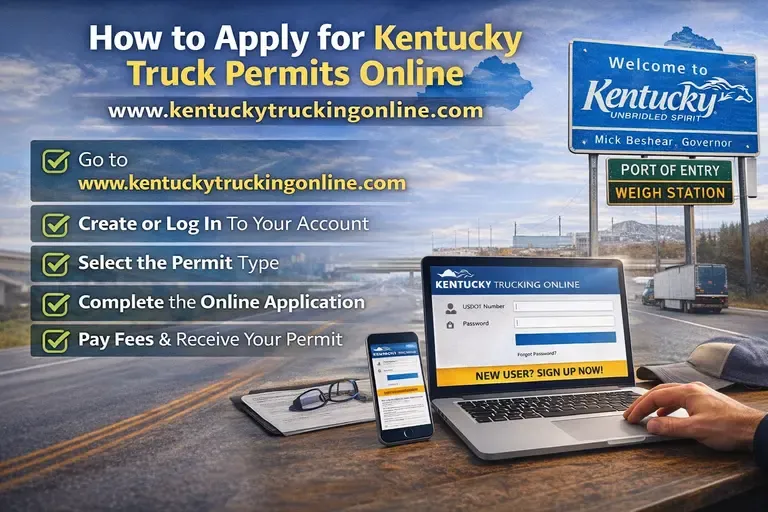
2. Go to the Kentucky Trucking Online Site
Open your browser and visit:
www.kentuckytruckingonline.com
This is the main portal for submitting applications and accessing permit tools through the Kentucky Transportation Cabinet and associated systems.
3. Create or Log In to Your Account
-
If you already have an account, log in.
-
If not, set up a new user profile with your business info, contact details, and USDOT number (if applicable).
This ensures the system can associate issued permits with your carrier authority and credentials.
4. Select the Permit Type
Once logged in, choose the specific permit you need from the options available, such as:
-
Single‑Trip Permit – For one load that exceeds legal size/weight limits.
-
Annual or Multiple‑Trip Permit – For repeated oversize or overweight movements.
-
KYU Registration or Temporary Permit – For weight‑distance tax compliance.
The portal’s interface lets you pick the correct permit before entering detailed info.
5. Complete the Online Application
Fill out the required fields carefully:
Vehicle Information: VIN, plate number, jurisdiction, weights and axle configuration.
Load Details: Dimensions (height, width, length), gross weight, cargo description.
Route Information: Origin, destination, and preferred route (if applicable).
Travel Dates & Times (for oversize/overweight permits).
Verify all entries — incorrect inputs can delay approval.
6. Upload Supporting Documentation
Depending on the permit type, you may need to upload:
-
Proof of insurance
-
Route diagrams
-
Authority credentials (USDOT, KYU, IRP/IFTA details)
Check the instructions for what must be included before submitting.
7. Pay the Permit Fees
The system will prompt you to pay applicable fees online. Payment options typically include:
Credit or debit cards
Fleet or business account billing (if supported)
Be sure to confirm the correct fee bracket, as charges vary by vehicle size, load type, and duration.
8. Submit and Receive Your Permit
After payment:
-
Download or print your permit — you must carry it in the vehicle during transport.
9. Follow Permit Conditions
Be sure to follow any travel conditions included with the permit:
Travel time restrictions
Route limitations
Escort vehicle requirements (if oversize)
Displaying the permit during transport
Failure to comply can result in fines or enforcement actions.
Quick Tips for a Smooth Online Application
-
Apply well before your planned travel date to avoid delays.
-
Double‑check axle spacing and weight inputs to prevent rejections.
-
For multiple permits or large fleets, contact Kentucky Trucking Online support for assistance.